Find your way around Point of Sale
The dashboard, the menu on the left and where each part of the till lives.
Point of Sale is the till and everything behind it: the items it sells, the people who use it, the money it takes and the reports the owner reads. This guide shows where each of these lives.
The dashboard
Open Point of Sale from the main dashboard or from the menu on the left. The first screen is the POS dashboard.
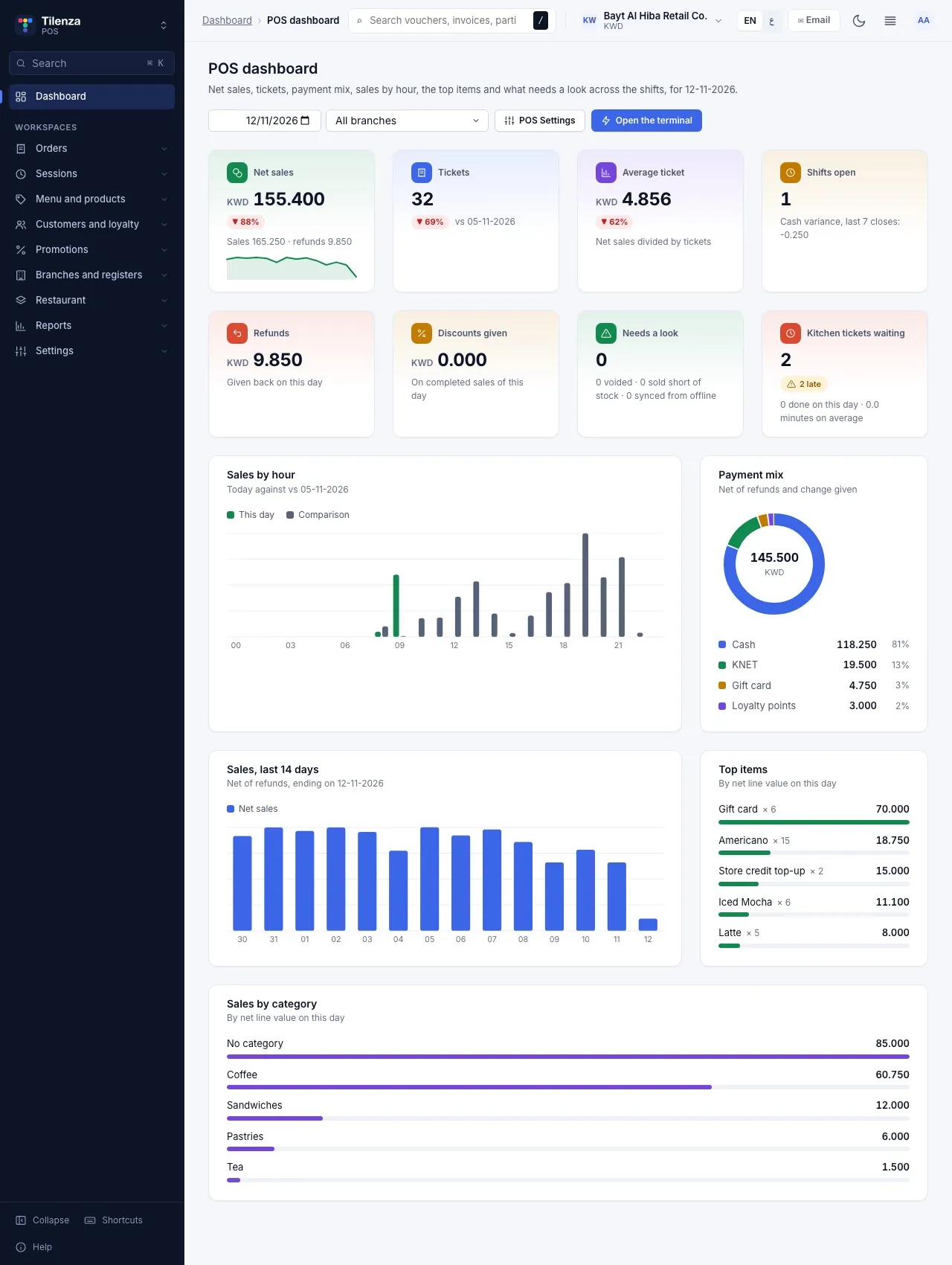
- Date and branch at the top choose the day and the branch every figure is for.
- The figures show net sales, tickets, the average ticket, open shifts, refunds, discounts and anything that needs a look. A small red or green mark compares the figure with the same weekday last week.
- Sales by hour shows the day beside the comparison day, and Payment mix shows how customers paid.
- Sales, last 14 days, Top items and Sales by category show what is selling.
- Open the terminal starts the till.
Every figure is a link. Clicking Net sales opens the receipts behind it.
The menu on the left
| Menu | What is in it |
|---|---|
| Orders | Sales and refunds, held orders and quotes, layaway |
| Sessions | Shifts and Z-reports, and the terminal |
| Menu and products | The items the till shows, and item options |
| Customers and loyalty | Customers and store credit, loyalty, gift cards |
| Promotions | Offers and coupons |
| Branches and registers | Branches, registers, cashiers and PINs |
| Restaurant | Floors and tables, the kitchen display |
| Reports | Sales reports |
| Settings | The switch for each feature |
Where to go next
- To prepare the till for the first sale, read Set up registers, cashiers and the menu.
- To sell, read Make a sale on the till.
Didn’t find what you need? Ask a person