Pre-orders and backorders with a deposit
Take an order for goods that are not in stock or not released yet, hold the deposit, see when it is ready and hand it over.
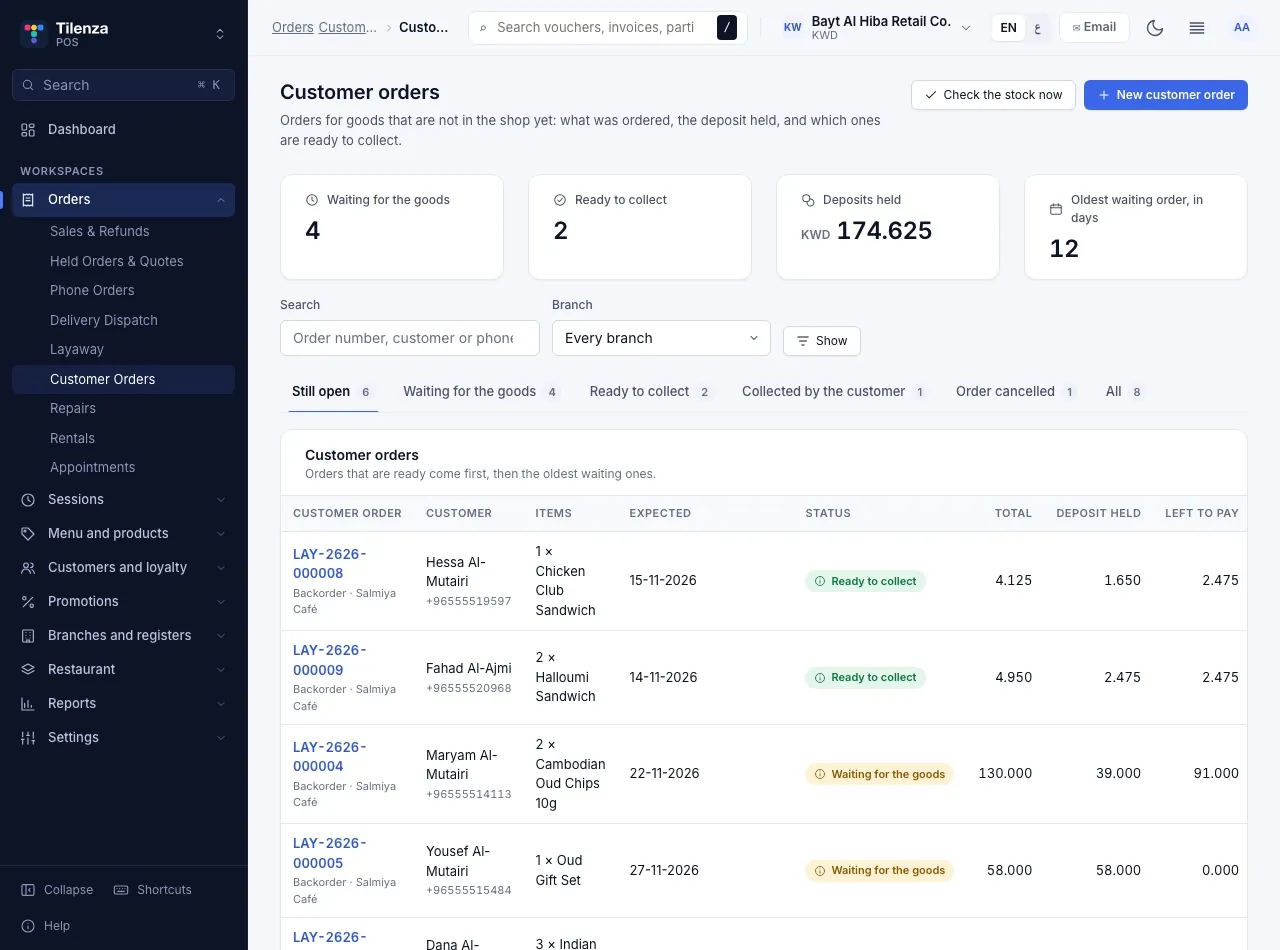
Customer orders are for goods a customer wants and you do not have yet: an item that is out of stock (a backorder) or one that is not released yet (a pre-order). The customer leaves a deposit, or pays in full, and collects when the goods are here.
Switch it on
Open Settings › POS Settings. In Terminal options, tick Customer orders: pre-orders and backorders with a deposit and save. Customer Orders then appears under Orders. The tick also switches Layaway on, because the deposit is held the same way as the deposit of a special order.
Take an order
On the till, start a layaway and tick Special order, as before: with customer orders on, it shows up on the Customer orders screen by itself.
From the back office:
- Open Customer Orders and press New customer order.
- Choose the customer, the day you expect the goods and, for a pre-order, the release date.
- Add the items and their quantities.
- Type the deposit, how it is paid and the open shift that takes it. The deposit may be the whole total.
- Press Take the order.
An item with a release date in the future makes the order a pre-order. Set such dates in Items not released yet on the same screen.
Know when it is ready
With stock control on, an order is ready as soon as all its goods are in stock: the system checks every hour, and Check the stock now checks at once. The goods are then kept aside for this customer, so nobody else can sell them. Stock that arrives goes first to the sales orders waiting for it in Inventory; the order page shows the purchase orders on the way for an item that is still short.
Without stock control, press Mark ready to collect on the order when the goods have arrived.
A pre-order is never ready before its release date. The Ready to collect tab, with the branch filter, is the list to call customers from.
Hand over and cancel
When the customer comes, open the order and press Take … and hand over: choose the open shift and how the rest is paid. The sale is made, the goods leave stock and the order is collected. The cashier can do the same on the till under Layaway payment, which shows what is left after the deposit.
To cancel, give a reason. The rule in When an order is cancelled decides for every order whether the deposit is refunded or kept. The goods kept aside are free again.
The report
Reports has Customer orders: the open orders by state and age, with their value, the deposits held and what is left to pay.
Didn’t find what you need? Ask a person