Sell on account and take the payment later
A credit limit per customer, On account at the till, payments on account and a statement.
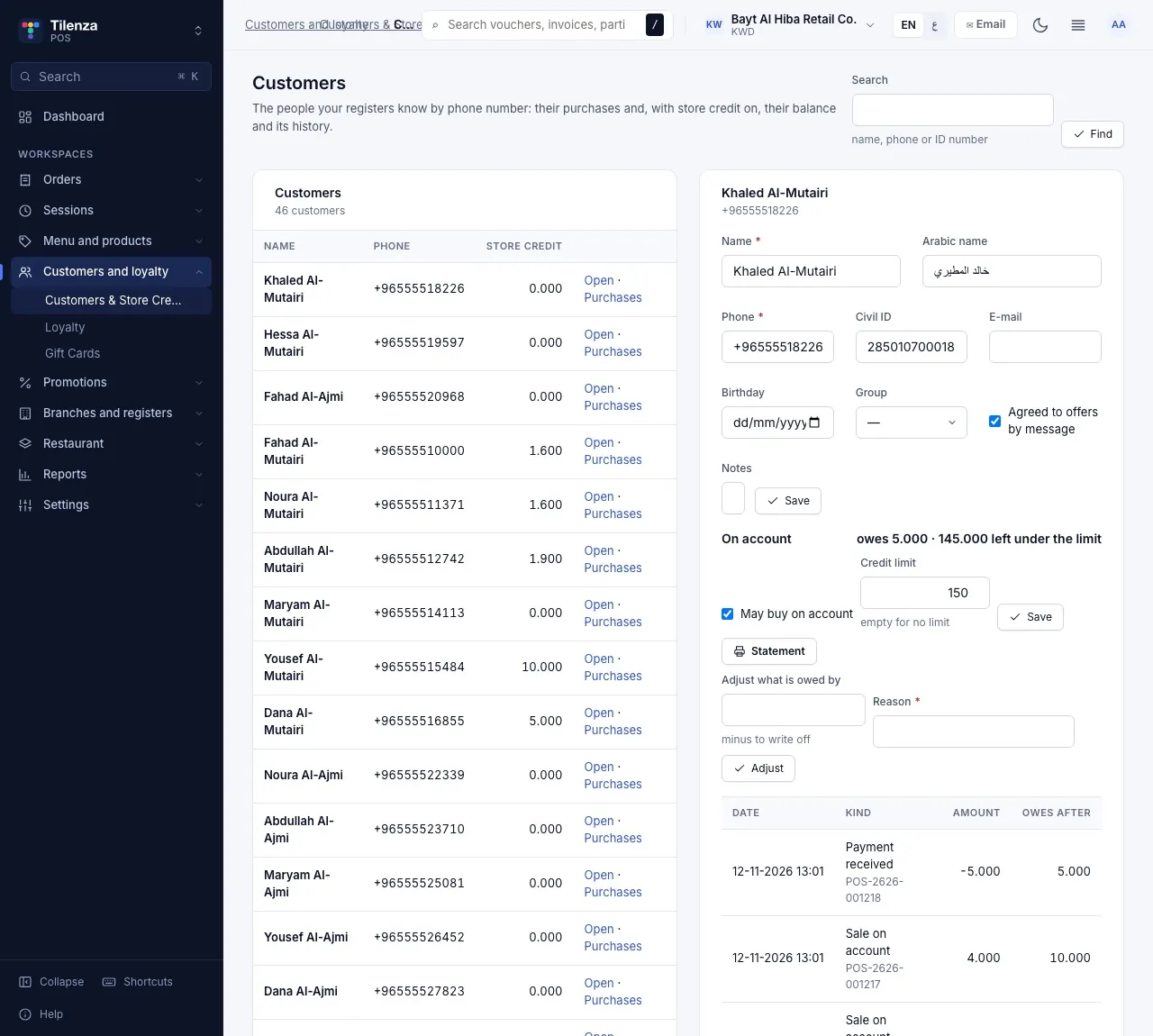
A customer you trust can buy now and pay later. The till records what is owed, stops at the credit limit you set, and takes the payment when the customer comes back.
Switch it on
Open Settings › POS Settings, tick Sales on account: a customer buys now and pays later and save.
Allow a customer
- Open Customers and loyalty › Customers & Store Credit and choose the customer.
- Under On account, tick May buy on account.
- Type a Credit limit, or leave it empty for no limit, and press Save.
Sell on account
On the till, choose the customer first. The pay screen then offers On account beside cash and cards. Type the amount there: the whole sale, or part of it with the rest in cash or by card.
The till refuses an amount that goes over what is left under the limit. On account is offered only while the till is online.
Take a payment
On the till, open the menu and choose Payment on account, choose the customer, type the amount and how it is paid. The receipt shows the payment. It is not a sale, so it does not count in the sales figures.
Statement and history
The customer's page lists every sale on account, payment, refund and adjustment, with what was owed after each. Statement prints the last three months on one page.
Corrections
A refund of a sale that was made on account can go back to the account. Adjust what is owed by changes the balance with a reason, for example to write off a small remainder; type a minus to reduce it.
Didn’t find what you need? Ask a person