Rent items out with a deposit and a return date
Rental items and their units, agreements that never book a unit twice, and the charge for the real time on return.
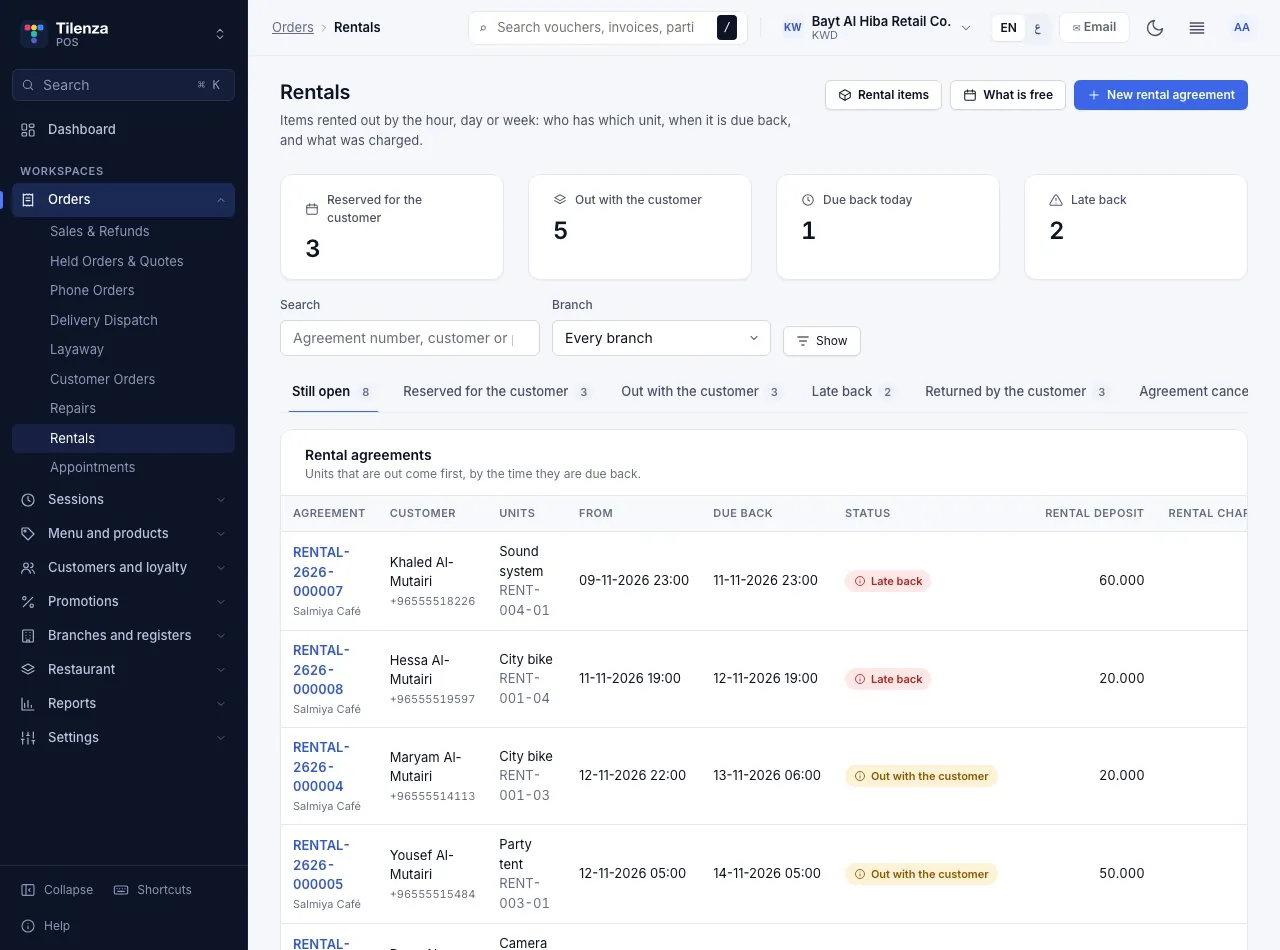
Rentals lets you rent items out by the hour, day or week: which unit is with which customer, when it is due back, the deposit you hold and what to charge when it returns.
Switch it on
Open Settings › POS Settings. In Terminal options, tick Rentals: rent items out by the hour, day or week and save. Rentals then appears under Orders. The tick also switches Layaway on, which holds the deposit, and Service items.
Rental items and units
A rental item is a service item, so renting it never takes stock. On Menu & Products tick A service on the item, then:
- Open Rentals and press Rental items.
- Choose the service item, type its rates per hour, per day and per week (at least one), the deposit for one unit and the number of units.
- Press For rent.
Each unit gets a code, for example BIKE-01, which you can change; with serial numbers at the sale on, a unit can also carry its serial number. Rental units are not stock: they are never sold and never leave stock.
The late fee is set on the same screen: a percentage on top of the time after the due time, and the minutes of grace before it applies.
Make an agreement
Press What is free to see, for two dates, how many units of each item are free, which ones, and who has the others. Then:
- Press New rental agreement, choose the start and the due time and press Show what is free.
- Choose the customer and tick the units.
- Press Make the agreement. One unit is never booked twice for the same time.
- When the customer comes, open the agreement and press Take … deposit and hand out: choose the open shift and how the deposit is paid. Print the Rental agreement for the customer to sign.
An agreement that is not handed out yet can be cancelled with a reason. One that is out after its due time shows as Late back.
Take the units back
Open the agreement and press Take the units back. The charge is for the real time out, by the cheapest mix of the rates: seven hours can cost one day when the day is cheaper. A late return adds the late fee, and damage is typed with a reason.
The deposit is set against the charge. What is too much is refunded from the shift you choose; what is missing is paid on the agreement, or on the till under Layaway payment. The rental income is a sale of the service item, so it is in every sales report. Print the Return slip for the customer.
The report
Reports has Rentals: the units out now, those due back today and the late ones, and the rental income of each item in the period.
Didn’t find what you need? Ask a person