Find your way around Inventory
The dashboard, the menu on the left and what each part is for.
Inventory keeps the register of items, the stock in each warehouse and every movement in or out, with its cost. The till, the online shop and sales orders all take their items and stock from here.
The dashboard
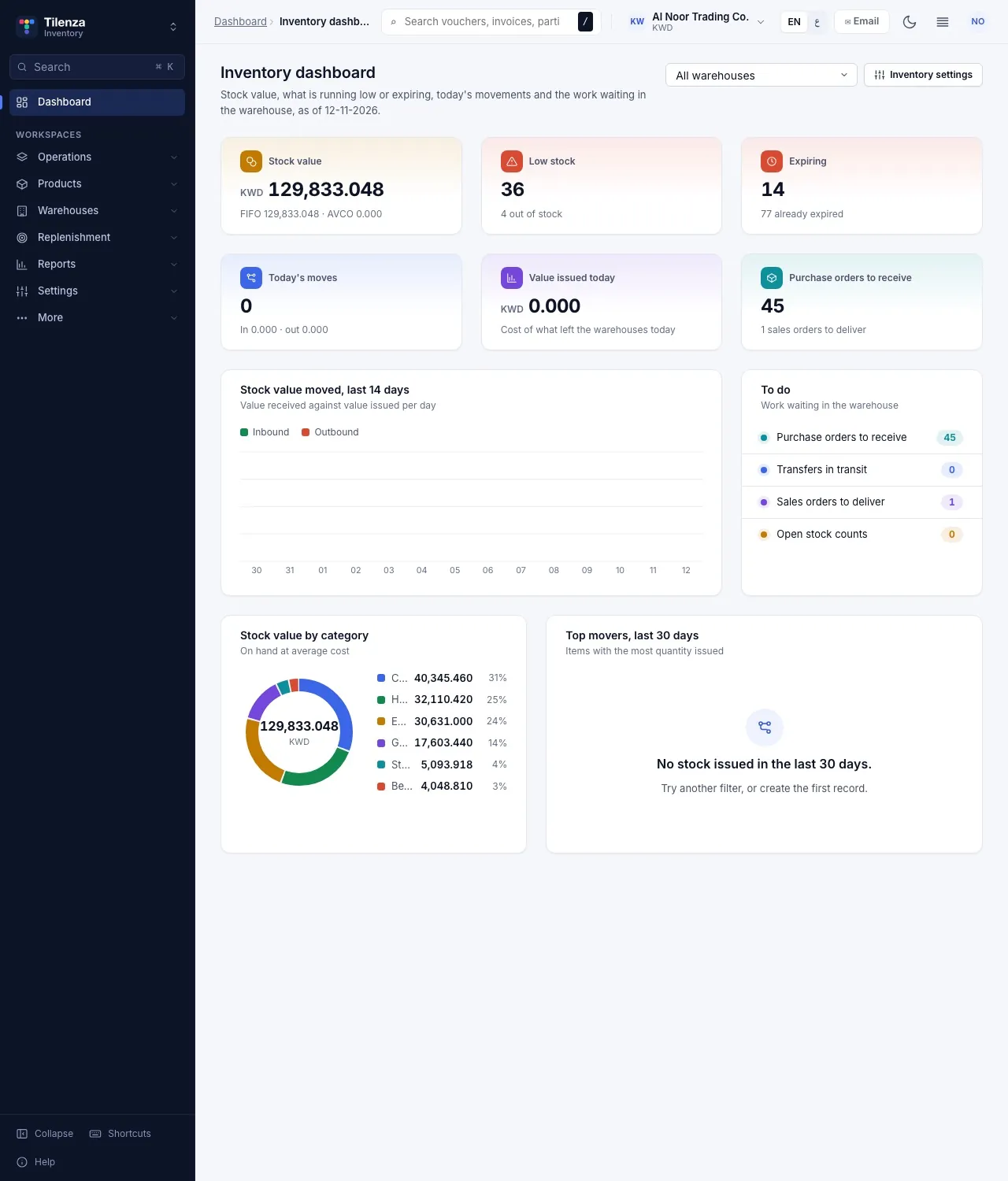
- Warehouse at the top limits every figure to one warehouse.
- The figures show the stock value, items that are low or out, batches about to expire, today's movements, the value issued today and the purchase orders waiting to be received. A figure is red when it needs a look.
- Stock value moved shows what came in and what went out on each of the last fourteen days.
- To do lists the work waiting in the warehouse: orders to receive, transfers on their way, orders to deliver, counts still open.
- Stock value by category and Top movers show where the money sits and what moves fastest.
Every figure is a link to the list behind it.
The menu on the left
| Menu | What is in it |
|---|---|
| Operations | Goods receipts, transfers, adjustments, counts, scrap, quality checks, landed costs, sales orders, pick and pack, delivery notes, purchase orders and returns |
| Products | Items, variants, bundles and barcodes, units of measure, bills of materials, batches and serial numbers |
| Warehouses | Warehouses, stock levels, shelves and putaway rules |
| Replenishment | Reorder alerts and rules, replenishment, forecasts, suppliers and their prices |
| Reports | Movements, valuation and the stock reports |
| Settings | The switch for each feature, costing, pricing, import and export, the API |
Where to go next
- Items, barcodes and prices
- Receive a purchase order
Didn’t find what you need? Ask a person