Items, barcodes and prices
The register of everything the company stocks, sells or buys.
An item is anything the company keeps, sells or buys. One item is used everywhere: on the till, in the online shop, on sales and purchase orders.
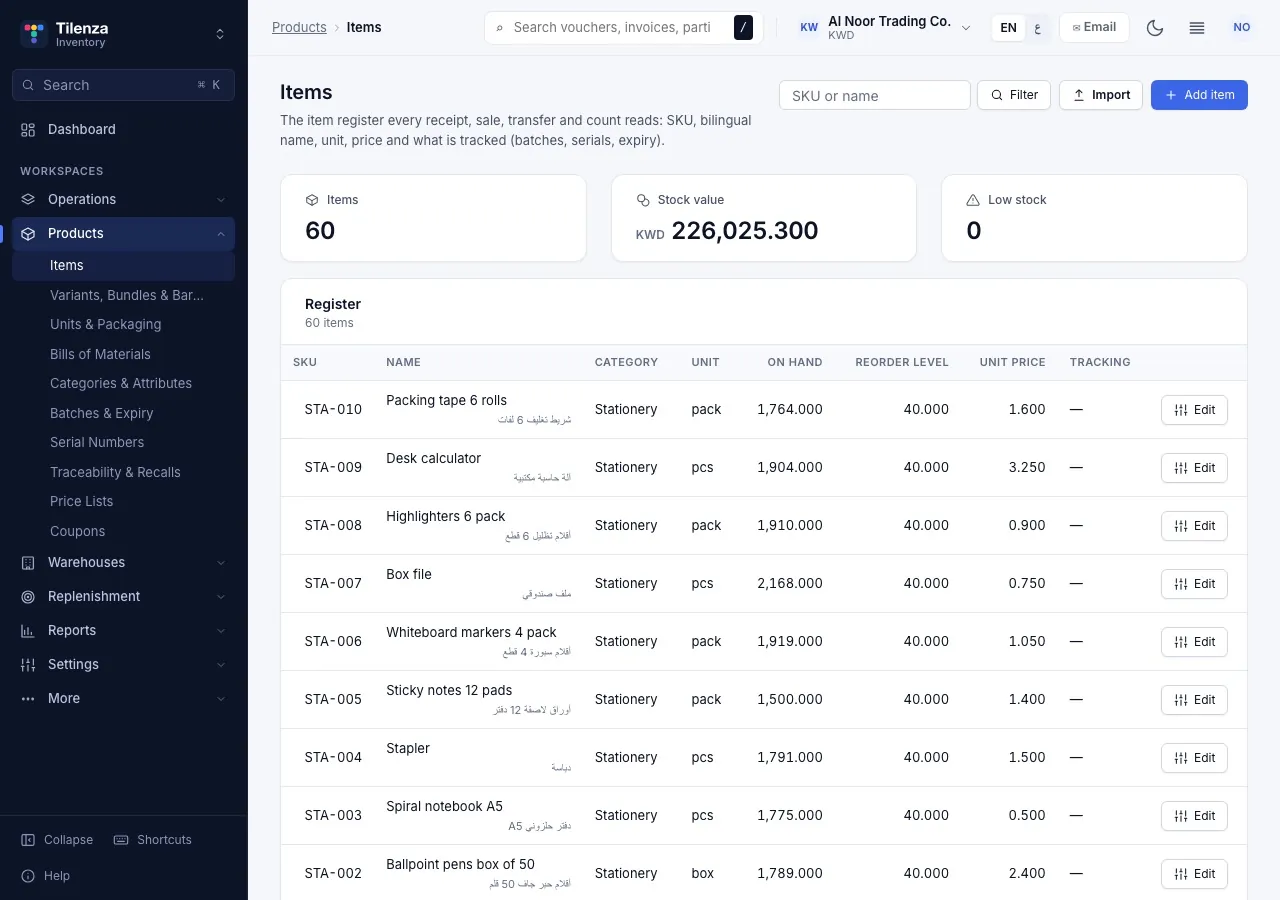
Add an item
- Open Products › Items and press Add.
- Type the code (SKU), the name in English and in Arabic, the category and the unit.
- Type the selling price and, if known, the last cost.
- Set the reorder level: when stock falls to it, the item shows under low stock.
Everything about one item
In Products › Items, press the name of an item to open its page.
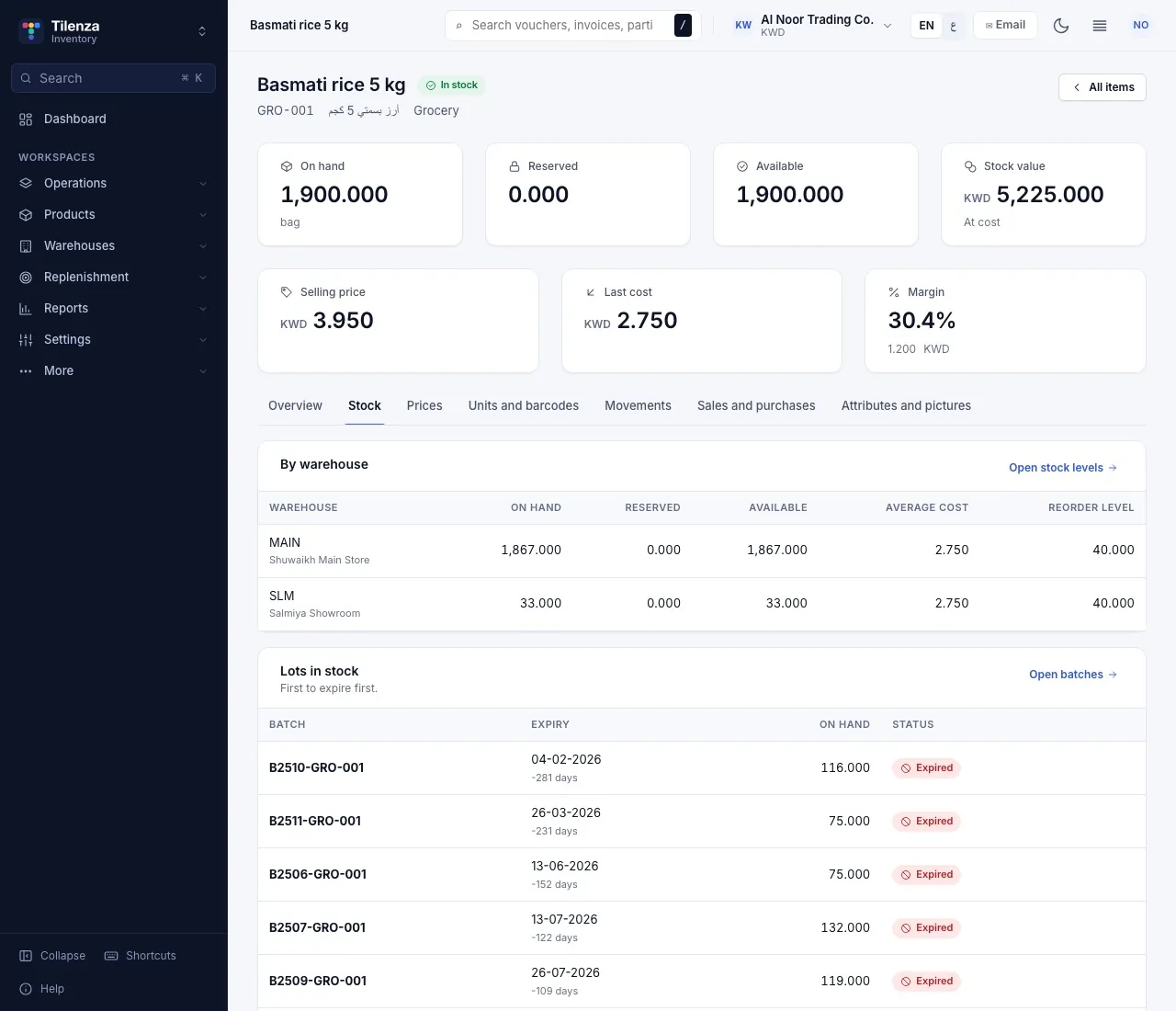
- The top shows what is on hand, reserved and available, the stock value, the selling price, the last cost and the margin.
- Overview has the details of the item and the Edit button.
- Stock shows the quantity in each warehouse and on each shelf, the lots with their expiry and the serial numbers in stock.
- Prices shows the price lists the item is on, the supplier prices and the last five purchase costs.
- Units and barcodes, Movements, Sales and purchases and Attributes and pictures show the rest.
A tab appears only when its feature is switched on and you are allowed to open it. To change something, follow the link on the tab to the screen where it is kept.
Barcodes, variants and bundles
Open Products › Variants, Bundles & Barcodes.
- Barcodes: an item can have several, for example one per pack size. The till and the scanner screens find the item by any of them.
- Variants: one product in several sizes or colours. Each variant has its own stock and barcode.
- Bundles: several items sold as one. Selling the bundle takes each part out of stock.
Prices
Under Settings › Pricing & Catalogue, price lists give a different price by customer group, quantity or date. Coupons and label sheets are on the same page.
Bring many items in at once
Settings › Import & Export takes a spreadsheet of items, opening quantities, prices and reorder rules, and checks it before anything is saved.
Didn’t find what you need? Ask a person