Standard cost, revaluation and write-downs
Value chosen items at a fixed cost and see what each purchase cost more or less, change the cost of stock on hand with a second person's approval, and write down stock that is worth less than it cost.
A fixed cost for the items you choose, so that every purchase shows what it cost more or less. A document that changes the cost of the stock you hold, with a second person's approval. And a list of stock that is worth less than it cost, to write down.
Switch it on
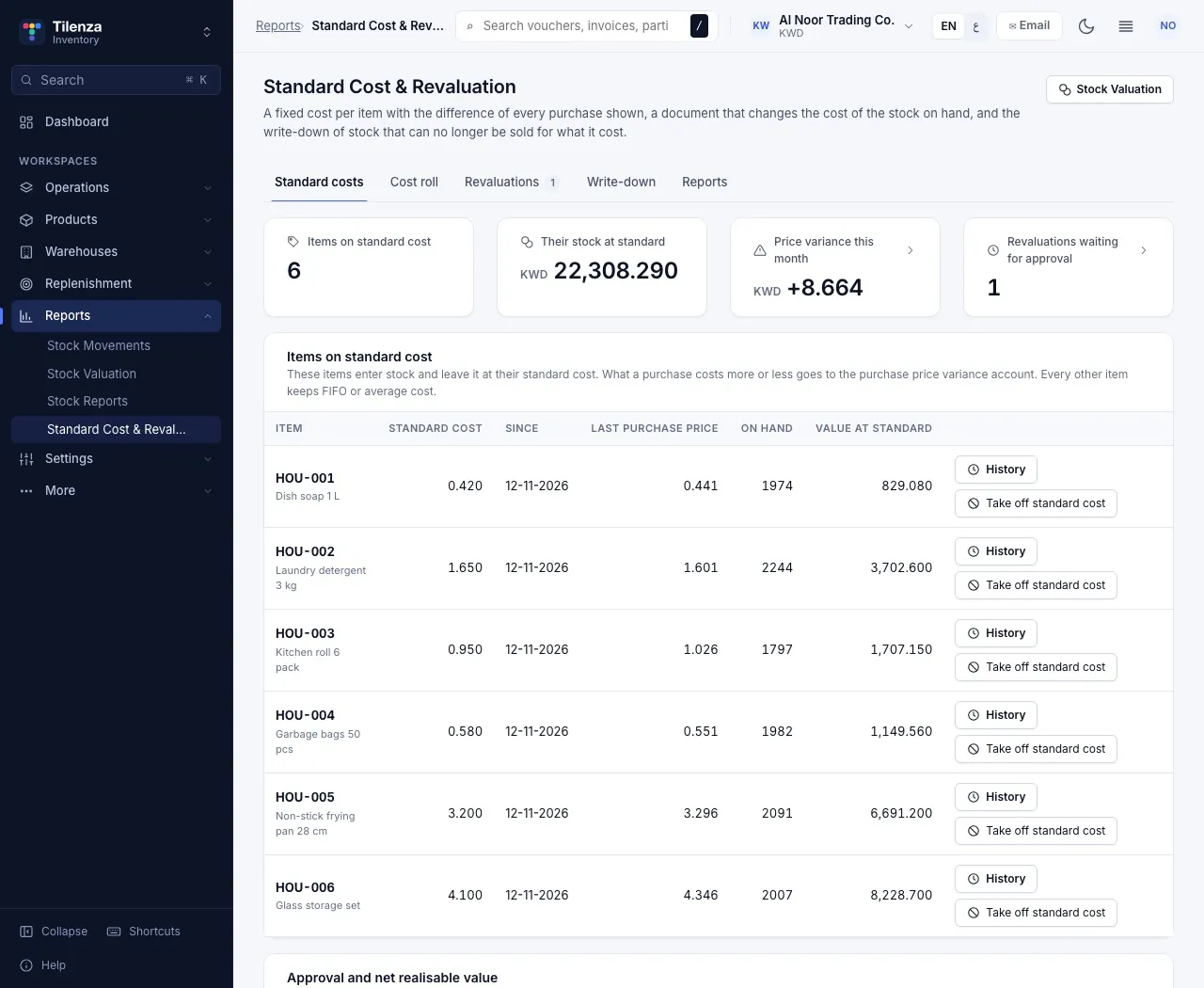
Open Reports › Standard Cost & Revaluation and press Switch on standard cost and revaluation. Nothing changes for an item until you put it on standard cost: it keeps FIFO or average cost as before.
Put items on standard cost
A standard cost is set by a cost roll.
- Open the Cost roll tab.
- Under Propose a cost roll, choose which items: every item, one category, chosen items, or the items already on standard cost.
- Choose where the new standard comes from: the last purchase price, the average cost, or a percentage change.
- Choose the day it takes effect and press Propose the costs.
- Check the proposed cost of each item. Type another cost where you want one, tick Leave out for an item that should stay as it is, and press Save the costs.
- Press Apply and revalue the stock. With a later day the roll is scheduled and applied on that day.
Applying sets the standard, revalues the stock on hand of each item to it and posts the difference to the stock revaluation account. Applying needs the right to approve.
A kit or a bundle cannot be put on standard cost: its cost stays the sum of its parts.
What happens at a receipt
An item on standard cost enters stock at its standard and leaves at its standard.
- When a purchase costs more or less than the standard, the difference goes to the purchase price variance account. Stock is valued at the standard and the supplier is owed the price on the order.
- Landed cost on such an item also goes to the purchase price variance account, not into the stock value.
- Take off standard cost puts an item back on FIFO or average cost. Its stock keeps the cost it has.
History shows every standard an item has had, from which day and until which day.
Revalue stock
A revaluation changes the unit cost of stock you hold. It works for every item.
- Open the Revaluations tab.
- Type the reason and the date.
- On each line type the SKU and the new unit cost. Choose a warehouse, or leave it empty for every warehouse that holds the item. Type a lot number to change one lot only.
- Press Draft and preview. The preview shows the quantity, the unit cost and the value before and after, and the change.
- Press Post the revaluation, or Submit for approval when the change is above the limit.
For a FIFO item the remaining stock gets the new cost. For an average item the average cost changes. For an item on standard cost the standard changes in every warehouse.
Posting makes one journal for the difference. Quantities do not change.
Approval
A revaluation whose changes add up to more than the limit waits for a second person. The person who submitted it cannot approve it.
- Approve and post posts it.
- Refuse closes it with your reason. Nothing is changed.
The limit is under Approval and net realisable value on the first tab. With 0 every revaluation waits for another person. Who may approve is set on the role: Standard Cost & Revaluation, Approve.
Write down stock
The Write-down tab lists stock that is worth less than it cost. Its net realisable value is the selling price of the item less the cost of selling, a percentage you set on the first tab. Every expired lot is listed with a value of nil.
- Tick the lines to write down.
- Type the reason and press Draft the write-down of the ticked lines.
- Check the preview and submit it. The same approval limit applies.
The write-down posts to its own account.
Write back
Stock that was written down and is still on hand is listed under Written down earlier. When its value recovers, type the new unit cost and press Draft a write-back. A write-back never goes above the cost the stock had before, and never above the amount that was written down.
Reports
The Reports tab has three reports for a period you choose.
- Purchase price variance by item, by supplier or by month.
- Revaluations and write-downs with the value before and after each line.
- Standard against actual cost: the standard of each item beside the average price paid and the last price paid.
Didn’t find what you need? Ask a person