Batches, serial numbers and expiry
Trace a lot or a single unit, and sell what expires first.
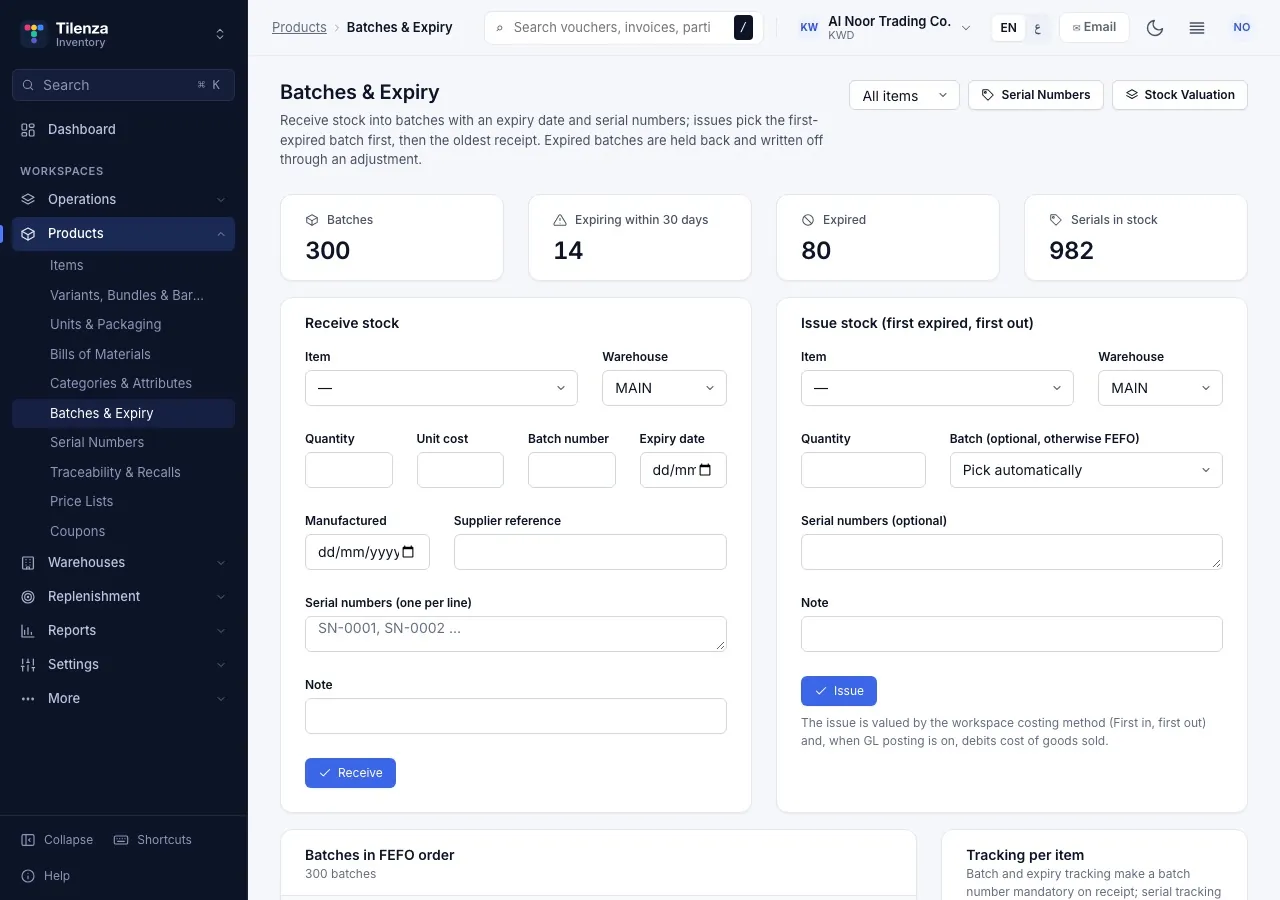
Batches and expiry
An item kept by batch gets a batch number and an expiry date when it is received.
- Sales and picks take the batch that expires first.
- Products › Batches lists every batch; the filter shows the ones expiring soon or already expired.
- With expiry rules on, a batch too close to its date is held back from sale, and a markdown can be suggested for it.
Serial numbers
An item kept by serial number is tracked one unit at a time: received, moved and sold by its serial.
The shelf of a serial number
In a warehouse with storage locations, each serial number keeps the shelf it lies on.
- It takes the shelf it is received on, follows every move between shelves, and loses it when the unit is sold, transferred out or scrapped.
- Serial Numbers shows the shelf in the Location column and filters by it. A shelf opened on Locations lists the serial numbers it holds.
- Name the serial numbers on a move to take those units. Leave them out and the units of the shelf that expire first go.
- A serial number received before shelves were kept shows no shelf until it is named in a move or comes in again.
Tracing and recalls
With traceability on, open a batch to see where it came from and every customer it went to. A recall blocks what is left, and from the same screen the rest can be moved to quarantine, scrapped or returned to the supplier.
Didn’t find what you need? Ask a person