Read the Storefront dashboard
Orders, online sales, how customers pay and what is waiting for you.
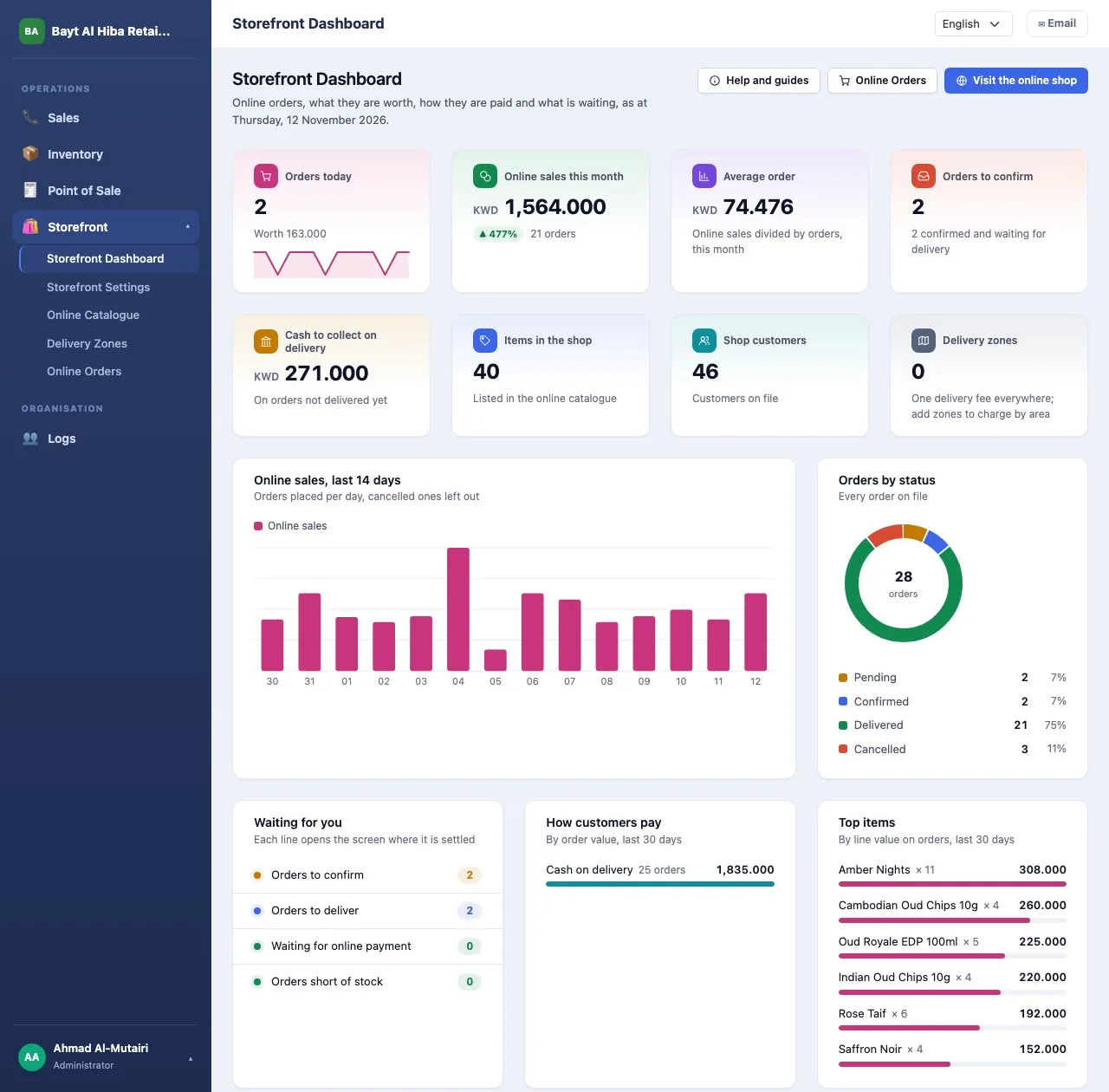
The Storefront dashboard shows how the online shop is doing and which orders need you.
The figures at the top
- Orders today and Online sales this month count orders by the time they were placed. Cancelled orders are left out.
- Orders to confirm are new orders nobody has confirmed yet. The line below shows how many are confirmed and waiting for delivery.
- Cash to collect on delivery is the money still to be collected on orders not delivered yet.
- Items in the shop, Shop customers and Delivery zones show the size of the shop.
Each figure opens the list behind it.
The charts
Online sales, last 14 days shows the value of orders day by day. Orders by status shows how all orders are split between pending, confirmed, delivered and cancelled.
Waiting for you
The list counts orders to confirm, orders to deliver, orders waiting for online payment and orders short of stock. Click a line to open the orders.
How customers pay and what sells
How customers pay ranks the payment methods by order value for the last 30 days. Top items ranks what sold best online. Latest orders lists the newest orders with the customer, the time, the status and the total.
Visit the online shop at the top opens the shop as a customer sees it.
Didn’t find what you need? Ask a person