Choose what to sell online
List items from Inventory with their own description and pictures.
An item appears in the shop only when it is listed.
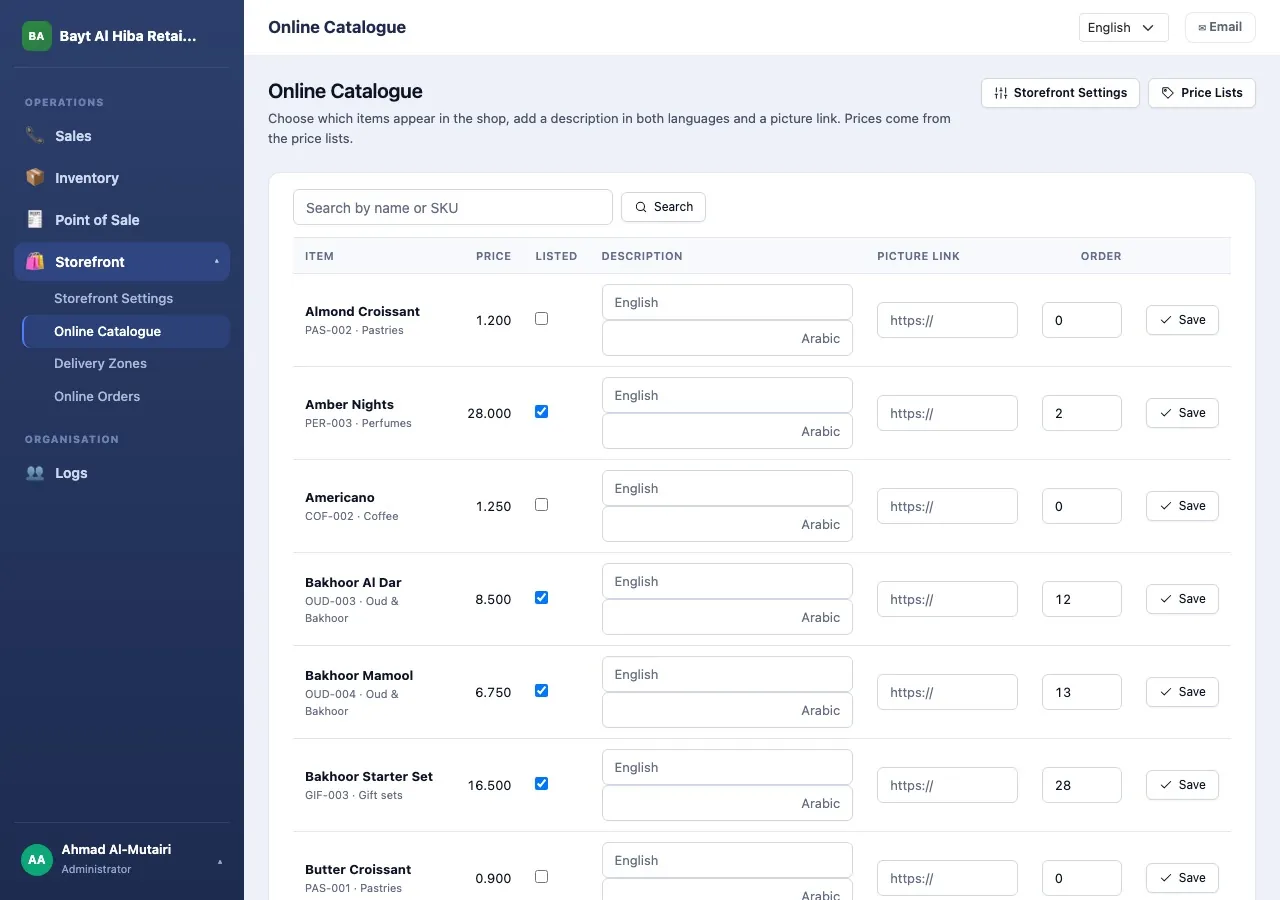
Steps
- Open Storefront › Online Catalogue.
- Find the item and switch Listed on.
- Add a description in English and Arabic and a link to a picture for the shop.
- Set the order in which items appear.
The price and the stock come from Inventory. An item with no stock left is shown as unavailable. Items that the law does not allow to be sold online are left out.
Didn’t find what you need? Ask a person