Leave and payroll
Approve leave, run the month's pay and give each employee a payslip.
Leave
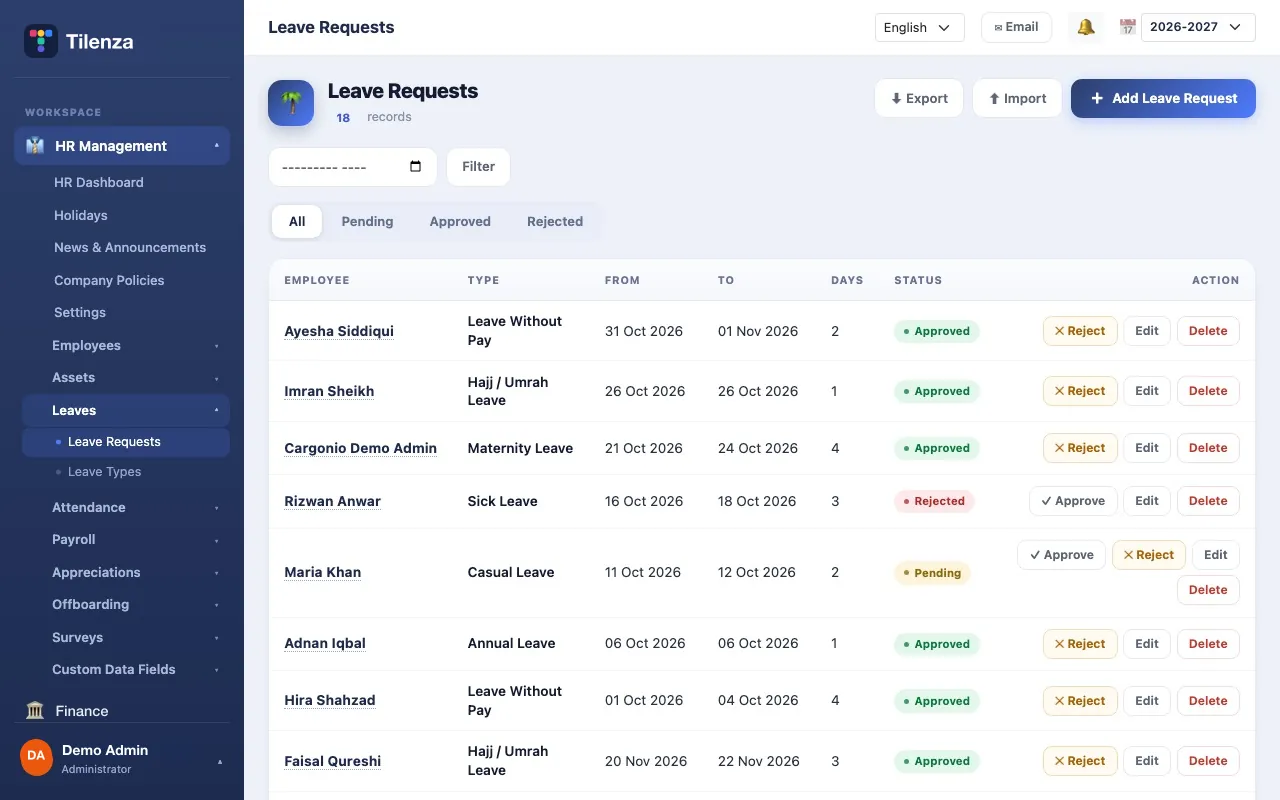
- An employee asks for leave from their portal, or HR enters it under Leaves.
- The request is checked against the balance of that leave type and approved.
- An approved leave shows in attendance and in the pay run.
Payroll
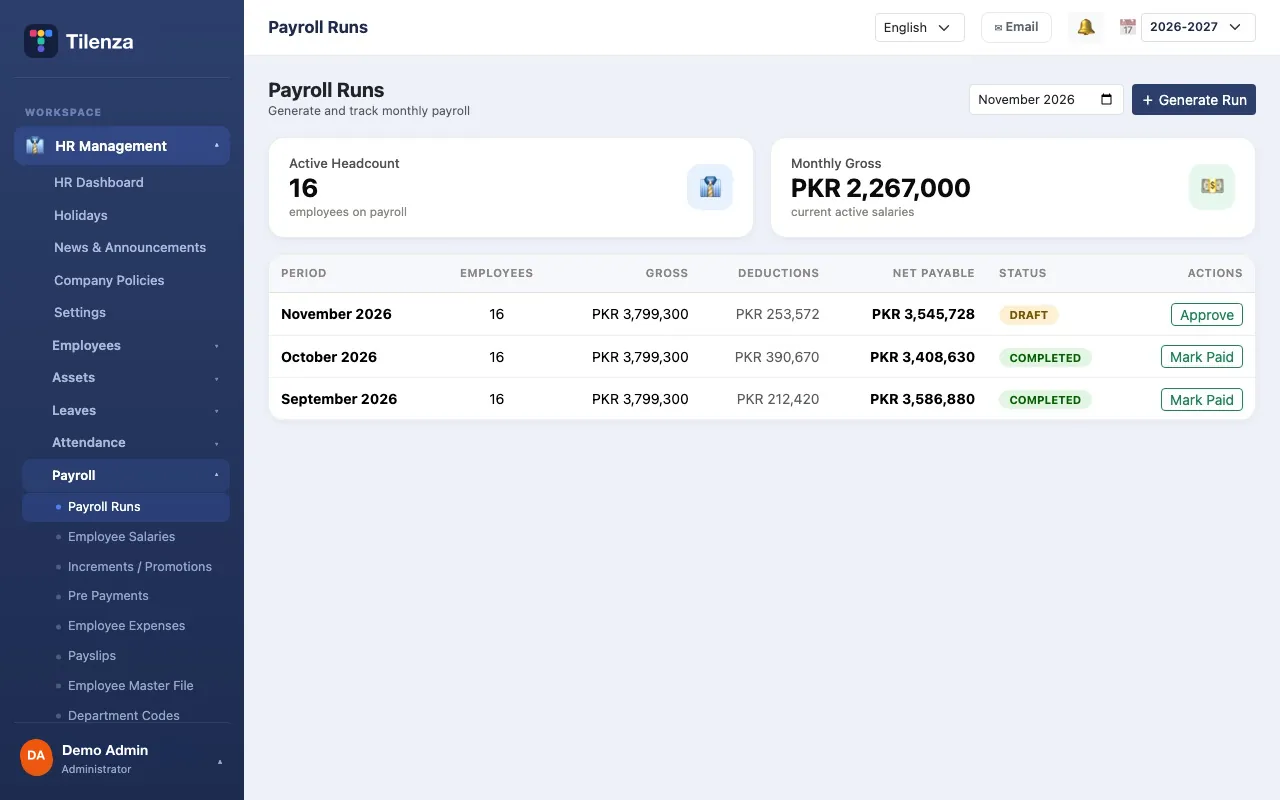
- Open Payroll › Payroll Runs and start the run for the month.
- The run takes each person's salary, attendance, overtime, loans and deductions, and the statutory contributions of the country.
- Check the lines, then finalise the run. A final run cannot be changed; a correction goes into the next run or an off-cycle run.
- Payslips are made for every employee and appear in their portal.
- With Finance, the pay run posts its journal to the ledger.
Pay components define each line of the payslip: a fixed amount, a percentage of a base, or a formula.
Didn’t find what you need? Ask a person